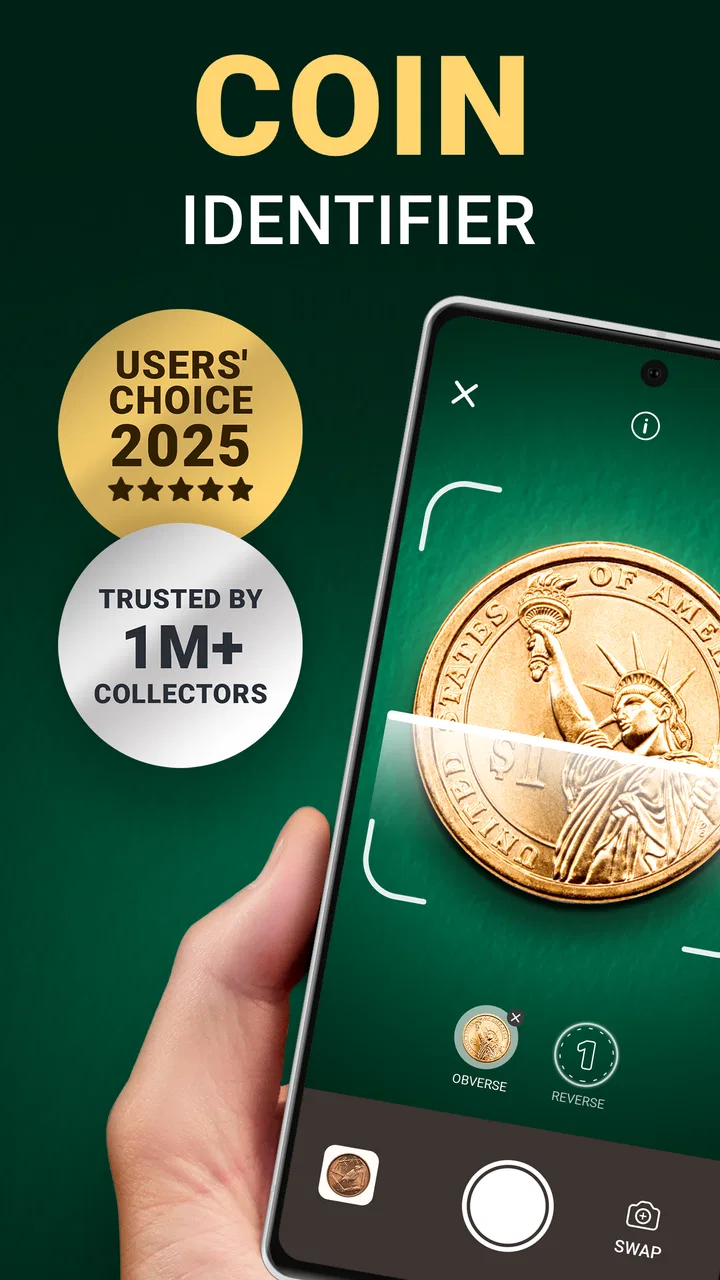
Coin ID - Coin Identifier
- 4.3
- Rating
- 1.00M
- Installs
- Free
- Price

 Analysis by App-foxy
Sorting through a jar of old coins can be surprisingly frustrating. Some pieces look familiar, others have tiny marks that are difficult to read, and a quick web search often produces several different answers. Coin ID - Coin Identifier, developed by AIBY Inc., is designed to make that first identification step easier by using your phone as a coin scanner. I found it most useful as a practical starting point: point the camera at a coin, let the app analyze it, and use the result to decide what deserves closer research.
This is a free tools app for Android and iOS, rated for Everyone. It has reached over a million installs and holds a 4.3 average from around nineteen thousand ratings, which gives it a healthy audience without making it feel like a specialist-only product. The current version is 1.25.8, and it requires an operating system version of 12 or later. In-app purchases range from $4.99 to $49.99 per item, so I would approach the free experience first and only consider paying if the app fits the way you actually collect.
What to expect when you open Coin ID
The most important thing to understand is that this is an identification aid, not a complete replacement for a coin expert. Its job is to help you recognize what is in front of you and estimate whether a piece deserves more attention. That makes it particularly handy for mixed household collections, inherited jars, travel souvenirs, and coins discovered in drawers where nobody remembers their origin.
You May Also Like

 Blood Strike: 2.5 Anniversary
Blood Strike’s Loadouts Turn Every Drop Into a Tactical Gamble
A close look at Blood Strike’s custom loadouts: how fast access to signature weapons reshapes its battle royale rhythm, rewards preparation, and narrows the gap between fights.

 Pandora - Music & Podcasts
Pandora’s Music Is Easy to Start, but Harder to Recover
Pandora’s strength is its low-effort path from a seed to a station. Its weak spot is how much confidence it asks you to place in connection, setup, and quiet recovery.

 8 Ball Pool
 Is Built on Rivalries, Rematches, and Routine
A close look at the rivalries, rematches, shared routines, and unanswered safety questions that turn a quick pool match into a persistent mobile community.

 Samsung Music
’s Quiet Strength Is Playing What You Already Own
Its reach comes less from spectacle than from dependable access to a personal library. That simplicity is both the app’s strongest retention engine and its ceiling.

 AccuWeather: Weather Radar
AccuWeather Review: A Quick, Clear Forecast for Everyday Decisions
For everyday plans, the best forecast is the one you can understand quickly. AccuWeather makes rain timing, radar, and local conditions easy to act on, with a few trade-offs.

 Hill Climb Racing
Why Hill Climb Racing Still Turns Crashes Into One More Run
A tiny car, a bumpy hill and one more upgrade: Hill Climb Racing keeps resurfacing because its simple chaos makes every near-miss feel personal.
More From Our News Desk



I would not install it expecting a guaranteed appraisal. A coin’s value can depend on its date, mint mark, metal, condition, rarity, errors, and authenticity. A camera-based result can point you in the right direction, but it should not be treated as a final buying, selling, or insurance decision. Use the result as a lead, then verify important details independently.
The app makes sense for a beginner because it removes some of the intimidating vocabulary from the first step. Instead of starting with a catalog and trying to recognize a coin from dozens of small photographs, you can begin with the object in your hand. That change in workflow is its strongest appeal. You do not need to know the country, denomination, or year before asking for help.
It is also useful for someone who has many coins but limited patience. Manually searching every piece can take a long time, especially when the lettering is unfamiliar. Coin ID gives you a faster sorting method: scan the obvious pieces, separate the uncertain ones, and reserve detailed research for the coins that look unusual or valuable.
What the app can and cannot settle
Identification is easiest when the coin is visible, reasonably clean, and photographed clearly. A badly worn surface, glare, unusual angle, or partial view can make any visual scanner less reliable. I recommend thinking of the app as a first-pass assistant rather than a laboratory instrument.
That distinction matters most with valuable-looking finds. If the app suggests a rare type, I would compare the date and mint mark with a trusted numismatic reference and inspect both sides manually. If money is involved, a professional appraisal is still the safer route. The app can save time before that step, but it cannot remove the need for judgment.
For ordinary coins, the benefit is more immediate. You may simply want to know whether a foreign coin belongs to a particular country, whether several similar pieces are the same denomination, or whether an old coin is worth keeping separate from the rest. In those situations, a quick scan can provide enough direction without turning the process into a research project.
Getting started without making the first scan harder
After installing the app, I would begin with one coin rather than an entire collection. Choose a piece with a clear design and place it on a flat, non-reflective surface. Good lighting is more important than fancy equipment: indirect daylight or a bright room usually gives the camera a cleaner view than a harsh lamp shining directly onto the metal.
Hold the phone steadily and make sure the coin fills a useful part of the frame without cutting off its edge. The rim can contain important clues, and a cropped coin gives the scanner less information to work with. If the surface is shiny, move the phone or the coin slightly until reflections stop hiding the lettering.
I would avoid polishing a coin before scanning it. Cleaning can damage a collectible surface and may reduce its appeal to collectors. A soft, dry wipe to remove loose dust is one thing; scrubbing, chemicals, or abrasive materials are another. The best workflow is to preserve the coin as found, improve the lighting, and let the camera do the work.
Start with a coin that has a recognizable front and back. This gives you a simple way to judge how the app behaves before you spend time on a damaged or unusual piece. Once you understand the scanning process, move on to the harder examples and keep notes about which results seem convincing and which need checking.
A practical setup for a jar of mixed coins
If you are dealing with a large pile, do not scan randomly. I found a simple sorting routine more efficient: separate coins by approximate size and appearance, group obvious national designs together, and then scan one representative example from each group. When two coins look similar, scan both rather than assuming they share the same date or variation.
This approach reduces repeated work and makes mistakes easier to spot. A result that appears for one coin should not automatically be copied to every piece in the same pile. Small differences in year, mint mark, lettering, or design can matter, particularly when the coins are from the same denomination.
Another useful habit is to keep the coin’s original context. If it came from a family box, an overseas trip, or an old collection, write that down before scanning. The app examines the visible coin, while the surrounding story can provide clues that a camera cannot. Context will not prove value, but it can help you notice when a result seems implausible.
Your first meaningful success
The first satisfying use is not necessarily finding a rare treasure. For me, success is getting a clear identification for a coin I could not confidently place, then using that answer to organize the rest of the collection. That is where the app feels practical rather than gimmicky.
Once the scan produces a likely match, read the result carefully instead of stopping at the first familiar word. Check whether the country, denomination, and visible design agree with the coin in your hand. Turn the coin over and compare the reverse as well. If the app’s suggestion fits both sides, you have a much stronger starting point than a guess based on color or size.
Take a second look at the year. Dates can be tiny, worn, or partly hidden by glare, and a scanner may interpret an unclear mark incorrectly. I recommend manually confirming the year before you attach any value expectation to the result. This is one of the most important habits for avoiding disappointment.
For a beginner, the best first project is a small batch of familiar coins. Scan several pieces, compare how consistently the app recognizes them, and notice which conditions produce the clearest results. That teaches you more than immediately testing the most damaged coin in the jar.
Turning identification into a useful sorting system
After scanning, divide the coins into three practical groups: confidently identified, probably identified, and needs further research. The first group can be organized by country or denomination. The second should remain separate until you confirm the details. The third deserves better photographs, a magnifying glass, or a reference book.
This workflow is more valuable than treating every result as equally certain. It also helps if you plan to show the collection to a family member or collector later. Instead of presenting a confusing pile, you can explain which pieces were easy to identify and which ones still require attention.
A less obvious benefit is that the app can help you learn visual patterns. After several scans, you begin noticing recurring portrait styles, shields, inscriptions, and edge shapes. The application does the early recognition, but you gradually become less dependent on it. I like that balance: it speeds up the first sessions without preventing you from developing your own eye.
If you are cataloging inherited coins, scan in small sessions and record the result alongside the original group they came from. Do not mix pieces together simply because the app gives them similar names. Keeping the original grouping can preserve useful family history and makes it easier to revisit a questionable identification.
Common confusion and the limits worth knowing
The biggest source of confusion is the difference between identification and value. Knowing what a coin is does not automatically reveal what someone will pay for it. Condition is especially important, and photographs cannot always show the details that determine a collector-grade assessment. A common coin in excellent condition may be more interesting than a rare coin that is heavily damaged, while an apparent rarity may turn out to be a reproduction or a misread date.
Another common mistake is assuming that a visually similar coin must be the same issue. Countries reuse designs, denominations can share shapes, and different years may have small changes. If the result looks close but not exact, treat it as a suggestion. Compare the lettering, portrait, symbols, date, and edge before accepting it.
Lighting can also create misleading confidence. A bright reflection may hide a mint mark, while a shadow can make a design look deeper or older than it is. If a result seems surprising, scan again after changing the angle rather than immediately believing or rejecting it. A second image taken under calmer lighting can be more useful than a longer search query.
Very worn coins are a special case. If the important text has disappeared, no visual identification tool can reliably recover information that is no longer visible. In that situation, use the app to test possibilities, but compare the coin’s weight, diameter, edge, and remaining design with a reputable reference. Those physical clues often matter more than a single camera result.
When another method is better
For a handful of ordinary coins, Coin ID is more convenient than opening a catalog and browsing page after page. For serious collecting, however, a dedicated numismatic reference may be better for comparing varieties, mint marks, historical context, and condition grades. A magnifying glass is also indispensable when the detail that matters is smaller than the camera can comfortably resolve.
If you already know the exact coin and need a reliable market comparison, the app is not the most suitable tool. You would be better served by recent auction records, specialist catalogs, or advice from an experienced dealer. The application earns its place earlier in the process, when you need help answering, “What might this be?”
I would also skip it if you are uncomfortable with camera-based identification or prefer to keep the entire process offline and manual. Its value depends on the convenience of using a phone to inspect a physical object. If that convenience does not matter to you, a printed reference and careful sorting may be more satisfying.
The free starting point is helpful for testing whether the workflow suits you. Because in-app purchases are available from $4.99 to $49.99 per item, I would not commit to a purchase before scanning the types of coins you actually own and deciding whether the results save enough time. A subscription or purchase is only worthwhile if it improves a repeated habit, not because a single difficult coin produced an uncertain answer.
Who will get the most from it
Coin ID is a good match for first-time collectors, families sorting inherited belongings, travelers trying to identify foreign change, and curious users who want a quick answer before doing deeper research. It is especially approachable when the alternative is leaving an unidentified pile untouched because the usual reference books feel too technical.
It can also help parents introduce children to coins in a controlled way. Since the content rating is Everyone, the app is positioned for a broad audience, but I would still guide younger users through handling coins, photographing them safely, and understanding that an estimated value is not the same as a guaranteed price.
More experienced collectors may still find it useful for triage. If a box contains unfamiliar pieces from several countries, a fast scan can help create an initial map of the contents. The expert’s advantage remains important afterward, particularly for varieties, errors, grading, and authenticity.
I would be cautious about recommending it to someone who wants a definitive valuation service. The app’s strongest role is recognition and organization. If your main question is how much a coin will sell for today, identification is only the first part of that answer.
My next-step routine after scanning
Once I have a likely identification, I would photograph or record the coin’s front and back, note the visible date, and place it in a labeled group. Then I would verify the details that affect the next decision: exact year, mint mark, condition, and whether the design matches the suggested issue. This keeps the app’s convenience while adding the checks it cannot replace.
For coins that appear ordinary, that may be enough. Store them carefully, avoid unnecessary cleaning, and move on. For coins that seem unusual, pause before selling or discarding them. Compare them with a trusted collector reference and ask a knowledgeable person for a second opinion. The app has already saved you the initial identification effort, so the extra verification is much more manageable.
My favorite way to use the application is as a filter for attention. It prevents me from spending twenty minutes researching every worn coin while ensuring that unfamiliar pieces do not disappear into the general pile. That is a modest purpose, but it is a genuinely useful one.
Overall, I would recommend Coin ID - Coin Identifier to anyone who wants a friendly first step into coin identification. It is free to try, simple enough for a beginner, and backed by a substantial user base. Just keep its role clear: it helps you recognize and sort coins, while careful verification determines whether a result is truly correct or valuable.
If you approach each scan with good lighting, an uncropped view, and a willingness to double-check dates and mint marks, the path from installation to a meaningful result is reassuringly straightforward. For casual discovery and early collection organization, Coin ID - Coin Identifier is a useful companion. For professional valuation or advanced variety research, I would pair it with specialist references rather than rely on it alone.
FAQs for Coin ID - Coin Identifier
01What is Coin ID - Coin Identifier, and what does it do?
Coin ID - Coin Identifier is a mobile app designed to help users recognize coins and learn more about them. After photographing or uploading an image of a coin, the app can provide identification details such as the country, denomination, year, and possible historical background. It is useful for beginners, travelers, and collectors who want a quick reference tool when examining unfamiliar coins.
02How accurate is Coin ID - Coin Identifier when recognizing coins?
The app can be helpful for identifying many common coins, but its results should be treated as an initial reference rather than a professional appraisal. Recognition may be affected by poor lighting, blurry photos, unusual angles, worn designs, rare editions, or coins that are not included in its database. For valuable or disputed pieces, compare the result with specialist catalogs or consult a qualified numismatist.
03How should I photograph a coin for the best identification results?
For better results, place the coin on a plain, contrasting surface and use bright, even lighting without glare or harsh shadows. Keep the camera steady and make sure the entire coin is visible, including its edge when relevant. Clean the camera lens, avoid heavily edited images, and photograph both sides if the app allows it. Clear details usually produce more useful identification information.
04Does Coin ID - Coin Identifier provide accurate coin values?
Coin ID - Coin Identifier may display estimated market information or collectible details for some coins, but an in-app estimate should not be considered a guaranteed selling price. Coin value depends on authenticity, rarity, mint mark, condition, demand, and current market trends. Before buying or selling an expensive coin, verify the information through auction records, reputable dealers, or a professional grading service.
05Is Coin ID - Coin Identifier free to use, and are there privacy considerations?
The app may offer basic identification features at no cost while reserving unlimited scans, advanced information, or additional tools for premium users, depending on the current version and subscription terms. Review the store listing carefully before confirming a purchase. Because coin recognition generally requires access to photographs, also check the app’s privacy policy to understand how images and related data are collected, stored, or processed.
Pros
- Identifies many world coins from a quick camera scan.
- Useful for beginners learning coin names and countries.
- Provides convenient access to basic coin information.
- Helps organize discoveries while building a personal collection.
- Simple interface makes scanning easy for casual users.
Cons
- Recognition can be inaccurate with worn or poorly lit coins.
- Rare varieties may require manual research for confirmation.
- Estimated values should not replace advice from a coin expert.
- Some features or information may require an in-app purchase.
- Camera scanning depends on a clear image and stable connection.

Coin ID - Coin Identifier
Gallery